
Loops in Python: In computer programming, we often need to perform the same task repeatedly. For example, we may want to:
- Display the names of multiple medicines.
- Process data from several patients.
- Calculate the total marks of students.
- Repeat a calculation for multiple samples in a pharmaceutical experiment.
- Read and analyze a large amount of clinical or laboratory data.
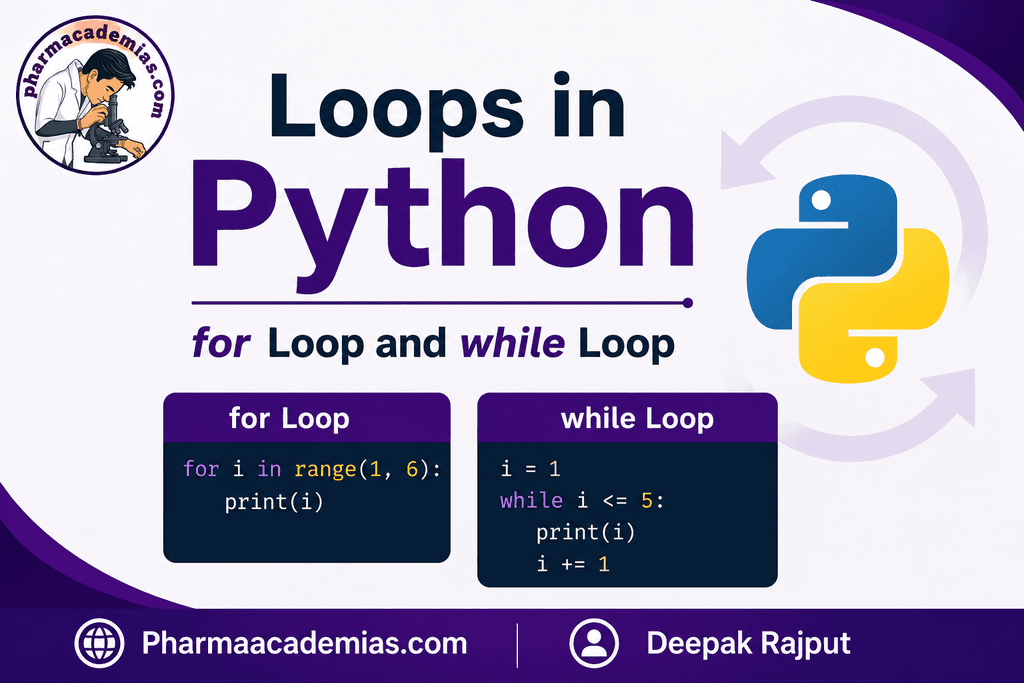
Writing the same statement again and again is inefficient. Loops solve this problem by allowing a set of instructions to be executed repeatedly.
In Python, the two main types of loops are:
- for loop
- while loop
Both loops are extremely important in programming and are widely used in pharmaceutical sciences, healthcare data analysis, research, bioinformatics, clinical data processing, and many other fields.
1. What is a Loop?
A loop is a programming structure that repeatedly executes a block of code until a particular condition is met or until all items in a sequence have been processed.
For example, suppose we have to display the names of five drugs:
print(“Paracetamol“)
print(“Aspirin”)
print(“Ibuprofen”)
print(“Amoxicillin”)
print(“Metformin”)
This method works, but it becomes inconvenient when there are hundreds or thousands of items.
Using a loop, the same task can be performed more efficiently.
drugs = [“Paracetamol”, “Aspirin”, “Ibuprofen”, “Amoxicillin”, “Metformin”]
for drug in drugs:
print(drug)
The loop automatically processes each item one by one.
2. Types of Loops in Python
Python mainly provides two types of loops:
1. for Loop
A for loop is generally used when we want to repeat a block of code for every item in a sequence.
A sequence may include:
- List
- Tuple
- String
- Dictionary
- Set
- Range of numbers
2. while Loop
A while loop is used when we want to repeat a block of code as long as a particular condition remains true.
The number of repetitions may or may not be known in advance.
3. The for Loop in Python
The for loop is one of the most commonly used loops in Python.
It is used to iterate through a sequence or collection of items.
General Syntax
for variable in sequence:
statement
The loop takes one item from the sequence at a time and stores it temporarily in the variable.
Then, the statements inside the loop are executed.
After that, Python moves to the next item.
Example 1: for Loop with a List
Suppose we have a list containing the names of some medicines.
medicines = [“Paracetamol”, “Aspirin”, “Ibuprofen”, “Amoxicillin”]
for medicine in medicines:
print(medicine)
Output
Paracetamol
Aspirin
Ibuprofen
Amoxicillin
Explanation
The list contains four items.
During the first iteration:
medicine = “Paracetamol”
During the second iteration:
medicine = “Aspirin”
This process continues until all items in the list have been processed.
4. Understanding Iteration
Each time a loop repeats its instructions, it is called an iteration.
For example:
drugs = [“Drug A”, “Drug B”, “Drug C”]
for drug in drugs:
print(drug)
The loop performs three iterations.
| Iteration | Value of drug |
| First | Drug A |
| Second | Drug B |
| Third | Drug C |
After the third item has been processed, the loop ends automatically.
5. for Loop with the range() Function
The range() function is frequently used with a for loop.
It generates a sequence of numbers.
Basic Syntax
range(start, stop, step)
Where:
- start = Starting value.
- stop = Ending limit, but this value is not included.
- step = Difference between consecutive values.
Example 1: Display Numbers from 0 to 4
for i in range(5):
print(i)
Output
0
1
2
3
4
The value 5 is not included.
Therefore:
range(5)
generates:
0, 1, 2, 3, 4
Example 2: Display Numbers from 1 to 5
for i in range(1, 6):
print(i)
Output
1
2
3
4
5
Here:
range(1, 6)
starts from 1 and stops before 6.
Example 3: Using Step Value
for i in range(0, 10, 2):
print(i)
Output
0
2
4
6
8
The value increases by 2 during every iteration.
6. for Loop with a String
A string is also a sequence of characters.
Therefore, a for loop can process each character individually.
word = “Pharma”
for letter in word:
print(letter)
Output
P
h
a
r
m
a
The loop takes one character at a time from the string.
7. for Loop with Pharmaceutical Data
Loops can be useful for processing pharmaceutical information.
For example, suppose we want to display the names of medicines.
medicines = [“Paracetamol”, “Amoxicillin”, “Metformin”, “Omeprazole”]
for medicine in medicines:
print(“Medicine:”, medicine)
Output
Medicine: Paracetamol
Medicine: Amoxicillin
Medicine: Metformin
Medicine: Omeprazole
This approach can be useful when working with large datasets containing information about drugs, patients, samples, or laboratory results.
8. Performing Calculations Using a for Loop
A for loop can also perform calculations repeatedly.
For example, suppose we want to calculate the square of numbers from 1 to 5.
for number in range(1, 6):
square = number ** 2
print(number, “Square =”, square)
Output
1 Square = 1
2 Square = 4
3 Square = 9
4 Square = 16
5 Square = 25
During every iteration, Python calculates the square of the current number.
9. Example: Processing Drug Concentrations
Suppose the concentration values of different samples are stored in a list.
concentrations = [10, 15, 20, 25, 30]
for concentration in concentrations:
print(“Concentration:”, concentration, “mg/mL”)
This type of program can be useful in laboratory data processing.
10. Nested for Loop
A loop inside another loop is called a nested loop.
Example
for batch in range(1, 4):
for sample in range(1, 4):
print(“Batch:”, batch, “Sample:”, sample)
Output
Batch: 1 Sample: 1
Batch: 1 Sample: 2
Batch: 1 Sample: 3
Batch: 2 Sample: 1
Batch: 2 Sample: 2
Batch: 2 Sample: 3
Batch: 3 Sample: 1
Batch: 3 Sample: 2
Batch: 3 Sample: 3
Nested loops are useful when working with structured data such as:
- Multiple batches and samples
- Students and subjects
- Patients and multiple test results
- Drug formulations and experimental conditions
11. The while Loop in Python
The while loop repeatedly executes a block of code as long as a specified condition is true.
General Syntax
while condition:
statement
Python first checks the condition.
- If the condition is True, the code inside the loop is executed.
- After execution, Python checks the condition again.
- The loop continues as long as the condition remains True.
- When the condition becomes False, the loop stops.
12. Simple Example of a while Loop
i = 1
while i <= 5:
print(i)
i = i + 1
Output
1
2
3
4
5
Explanation
Initially:
i = 1
The condition is:
i <= 5
Since 1 is less than or equal to 5, the loop runs.
After each iteration:
i = i + 1
increases the value of i by 1.
The loop stops when:
i = 6
because:
6 <= 5
is False.
13. Importance of Updating the Variable
When using a while loop, it is very important to update the variable that controls the condition.
For example:
i = 1
while i <= 5:
print(i)
This creates a problem because the value of i never changes.
Therefore, the condition:
i <= 5
will always remain true.
The loop may continue indefinitely.
This is called an infinite loop.
The correct program is:
i = 1
while i <= 5:
print(i)
i = i + 1
14. Example: Counting Pharmaceutical Samples
Suppose a laboratory technician needs to process five samples.
sample = 1
while sample <= 5:
print(“Processing Sample”, sample)
sample = sample + 1
Output
Processing Sample 1
Processing Sample 2
Processing Sample 3
Processing Sample 4
Processing Sample 5
The loop continues until all five samples have been processed.
15. while Loop with User Input
A while loop is particularly useful when the number of repetitions is not known in advance.
For example:
password = “”
while password != “pharma123”:
password = input(“Enter password: “)
print(“Access Granted”)
The program continues asking for the password until the correct password is entered.
This demonstrates an important use of the while loop: repeating an operation until a desired condition is satisfied.
16. while Loop in Data Processing
Suppose we want to process a list using an index.
drugs = [“Paracetamol”, “Aspirin”, “Ibuprofen”]
i = 0
while i < len(drugs):
print(drugs[i])
i = i + 1
The len() function determines the number of items in the list.
The loop continues until all items have been displayed.
17. Difference Between for Loop and while Loop
| Feature | for Loop | while Loop |
| Main purpose | Iterates through a sequence | Repeats while a condition is true |
| Number of repetitions | Usually known or based on a sequence | May not be known in advance |
| Common use | Lists, strings, ranges and collections | Condition-based repetition |
| Variable update | Usually handled automatically | Often requires manual updating |
| Risk of infinite loop | Low | Higher if condition is not updated |
| Example | Processing every drug in a list | Continue until valid input is received |
Simple Rule
Use a for loop when you know what sequence or collection you want to process.
Use a while loop when repetition should continue until a particular condition changes.
18. The break Statement
The break statement is used to immediately terminate a loop.
Once Python encounters break, the loop stops, even if more iterations are possible.
Example
for number in range(1, 10):
if number == 5:
break
print(number)
Output
1
2
3
4
When the value becomes 5, the break statement terminates the loop.
Pharmaceutical Example
Suppose samples are being checked, and the process should stop if a sample fails.
results = [“Pass”, “Pass”, “Pass”, “Fail”, “Pass”]
for result in results:
if result == “Fail”:
print(“Failed sample detected. Process stopped.”)
break
print(“Sample Passed”)
The loop stops as soon as “Fail” is detected.
19. The continue Statement
The continue statement skips the current iteration and moves directly to the next iteration.
Example
for number in range(1, 6):
if number == 3:
continue
print(number)
Output
1
2
4
5
When the value is 3, Python skips the print() statement for that iteration.
Example: Skipping an Invalid Sample
samples = [“Sample 1”, “Sample 2”, “Invalid”, “Sample 4”]
for sample in samples:
if sample == “Invalid”:
continue
print(“Processing”, sample)
The invalid sample is skipped, while the other samples are processed.
20. The pass Statement in Loops
The pass statement is used when Python requires a statement syntactically, but no action needs to be performed.
for i in range(5):
pass
The loop runs, but no output or action occurs.
The pass statement is commonly used as a placeholder while developing a program.
21. Common Errors While Using Loops
1. Incorrect Indentation
Python uses indentation to define the body of a loop.
Incorrect:
for i in range(5):
print(i)
Correct:
for i in range(5):
print(i)
The statements inside the loop must be properly indented.
2. Forgetting to Update a while Loop Variable
Incorrect:
i = 1
while i <= 5:
print(i)
This may create an infinite loop.
Correct:
i = 1
while i <= 5:
print(i)
i = i + 1
3. Incorrect Range
Remember that the ending value in range() is excluded.
range(1, 5)
produces:
1, 2, 3, 4
It does not include 5.
4. Incorrect Loop Condition
A wrong condition can cause a loop to stop too early or continue longer than expected.
Therefore, the loop condition should always be carefully checked.
22. Advantages of Using Loops
Loops provide several advantages in programming:
Reduced Code Repetition: Instead of writing the same instruction multiple times, one block of code can be repeated automatically.
Efficient Data Processing: Loops can process large amounts of data efficiently.
Automation: Repetitive tasks can be automated.
Better Program Structure: Loops make programs shorter, more organized, and easier to maintain.
Useful for Scientific and Pharmaceutical Applications: Loops can be used to process experimental data, patient records, drug information, and laboratory results.
23. Applications of Loops in Pharmaceutical Sciences
Python loops can be highly useful in pharmaceutical and healthcare-related programming.
Some possible applications include:
Processing Experimental Data: A loop can process the results obtained from multiple laboratory samples.
Analyzing Drug Information: A program can go through a list of medicines and perform calculations or display relevant information.
Clinical Data Analysis: Loops can process information from multiple patients or clinical trial participants.
Quality Control: Loops can be used to check values from multiple batches or samples.
Inventory Management: A program can process lists of medicines, quantities, and stock information.
Bioinformatics: Large biological datasets may require repeated processing of sequences and experimental information.
Automated Calculations: Loops can perform repeated calculations for multiple observations.
Thus, learning loops provides an important foundation for students who want to use Python in pharmaceutical sciences and healthcare research.
24. Summary of for and while Loops
A loop is used to execute a block of code repeatedly.
The for loop is generally used to iterate through a sequence such as a list, string, tuple, or range of numbers.
for item in sequence:
print(item)
The while loop continues to execute as long as a specified condition remains true.
while condition:
statement
The break statement immediately terminates a loop, while the continue statement skips the current iteration and moves to the next one. The pass statement can be used as a placeholder when no action is required.
Conclusion
Loops are among the fundamental building blocks of Python programming. They allow programmers to perform repetitive tasks efficiently and are essential when working with collections of data or condition-based operations.
For pharmacy students, understanding for and while loops can be especially valuable because programming is increasingly used in pharmaceutical research, clinical data analysis, drug discovery, bioinformatics, laboratory automation, quality control, and healthcare data management.
A strong understanding of loops will also make it easier to learn advanced Python concepts such as functions, data structures, file handling, data analysis, NumPy, Pandas, and machine learning.
Editorial Note
This article has been carefully researched and written by Deepak Rajput with a focus on accuracy, clarity, and evidence-based healthcare information.


