
Nested Conditional Statements in Python: A nested conditional statement means placing one conditional statement inside another conditional statement. In simple words, when one if statement is written inside the block of another if or else statement, it is called a nested conditional statement.
Nested conditions are useful when a second decision depends on the result of a first decision.
For example, consider the following real-life situation:
If a student has passed the examination, then check whether the student has scored distinction marks.
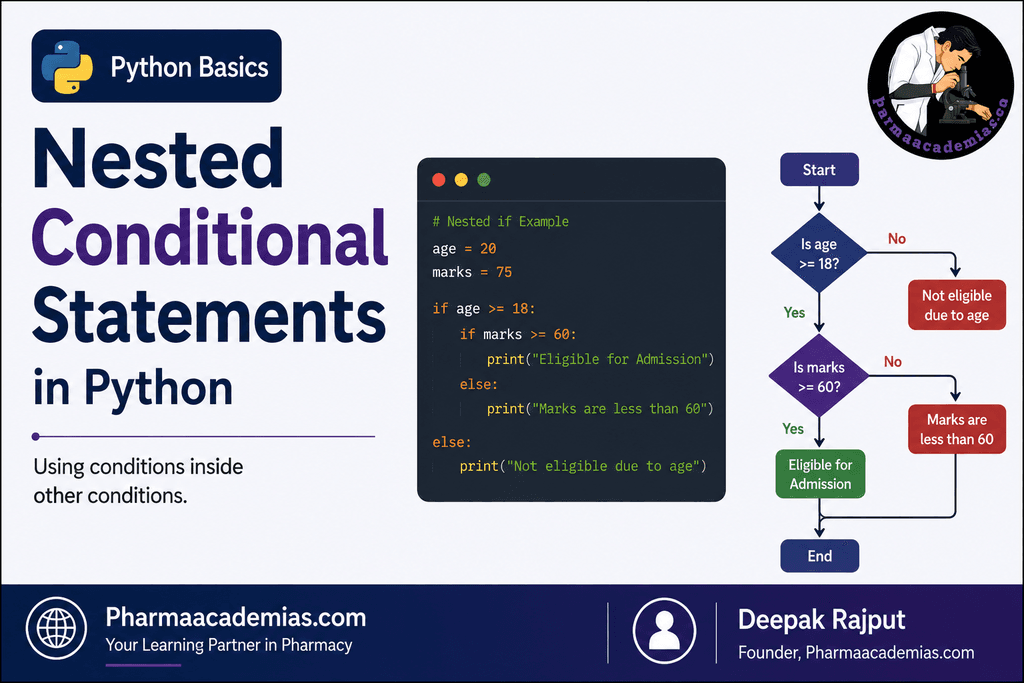
Here, the second condition is checked only after the first condition is satisfied.
1. Basic Concept of Nested Conditions
The general syntax of a nested if statement is:
if condition1:
if condition2:
statement
Python first checks condition1.
- If condition1 is True, Python enters the first if block.
- Then it checks condition2.
- If condition2 is also True, the statement inside the second if block is executed.
- If the first condition is False, the inner if statement is not checked.
2. Simple Example of Nested if
age = 25
if age >= 18:
print(“You are an adult”)
if age >= 21:
print(“You are 21 years or older”)
Output
You are an adult
You are 21 years or older
Explanation
First, Python checks:
age >= 18
Since 25 is greater than 18, the condition is True.
Therefore, Python enters the first if block and prints:
You are an adult
Then Python checks the nested condition:
age >= 21
This condition is also True, so it prints:
You are 21 years or older
3. Flow of Nested Conditions
The working of nested conditions can be understood as follows:
Start
|
v
Check Condition 1
|
+—- False —-> Skip inner condition
|
True
|
v
Check Condition 2
|
+—- True —–> Execute statement
|
+—- False —-> Skip statement
|
v
Continue program
The important point is that the inner condition is normally checked only when the program reaches that part of the code.
4. Nested if-else Statement
We can also place an if-else statement inside another if statement.
Syntax
if condition1:
if condition2:
statement1
else:
statement2
else:
statement3
Example: Student Eligibility
marks = 65
attendance = 80
if marks >= 50:
print(“Student has passed the examination”)
if attendance >= 75:
print(“Student is eligible”)
else:
print(“Student has insufficient attendance”)
else:
print(“Student has failed”)
Output
Student has passed the examination
Student is eligible
Explanation
The program first checks whether the student’s marks are greater than or equal to 50.
Since:
65 >= 50
is True, the student has passed.
Now the program enters the first if block and checks the second condition:
attendance >= 75
Since the attendance is 80, this condition is also true.
Therefore, the student is declared eligible.
5. Example When the Inner Condition is False
marks = 65
attendance = 60
if marks >= 50:
print(“Student has passed”)
if attendance >= 75:
print(“Eligible for examination”)
else:
print(“Not eligible because attendance is low”)
else:
print(“Student has failed”)
Output
Student has passed
Not eligible because attendance is low
The outer condition is true because the student has passed, but the inner condition is false because attendance is less than 75.
Therefore, the else belonging to the inner if statement is executed.
6. Example When the Outer Condition is False
marks = 40
attendance = 90
if marks >= 50:
print(“Student has passed”)
if attendance >= 75:
print(“Eligible”)
else:
print(“Attendance is insufficient”)
else:
print(“Student has failed”)
Output
Student has failed
Even though the student’s attendance is 90, Python does not check the nested condition because the outer condition:
marks >= 50
is false.
7. Nested Conditions Using User Input
Nested conditions can be used with values entered by the user.
age = int(input(“Enter your age: “))
if age >= 18:
citizenship = input(“Are you a citizen? (yes/no): “)
if citizenship == “yes”:
print(“You are eligible”)
else:
print(“Citizenship requirement is not satisfied”)
else:
print(“Age requirement is not satisfied”)
In this program, Python first checks the age.
Only when the age requirement is satisfied does it ask for the second condition.
8. Nested Conditions for Positive Numbers
number = int(input(“Enter a number: “))
if number >= 0:
if number == 0:
print(“The number is zero”)
else:
print(“The number is positive”)
else:
print(“The number is negative”)
Example
If the user enters:
0
The output will be:
The number is zero
If the user enters:
15
The output will be:
The number is positive
If the user enters:
-10
The output will be:
The number is negative
9. Nested Conditions for Student Grade
marks = 85
if marks >= 50:
if marks >= 90:
print(“Grade A+”)
elif marks >= 75:
print(“Grade A”)
else:
print(“Pass”)
else:
print(“Fail”)
Output
Grade A
Explanation
The first condition checks whether the student has passed:
marks >= 50
Since 85 is greater than 50, Python enters the outer if block.
Then the inner conditional structure determines the student’s grade.
10. Nested Conditions in Pharmacy Inventory Management
Nested conditions can be useful in a pharmacy inventory program.
stock = 15
expiry_status = “valid”
if stock > 0:
if expiry_status == “valid”:
print(“Medicine is available for dispensing”)
else:
print(“Medicine should not be dispensed”)
else:
print(“Medicine is out of stock”)
Explanation
The program first checks whether the medicine is available in stock.
If the stock is available, it then checks whether the medicine has a valid expiry status.
Thus, the second decision depends on the first decision.
11. Nested Conditions for Login Verification
username = “admin”
password = “python123”
if username == “admin”:
if password == “python123”:
print(“Login successful”)
else:
print(“Incorrect password”)
else:
print(“Username not found”)
Possible Outputs
If both values are correct:
Login successful
If the username is correct but the password is incorrect:
Incorrect password
If the username itself is incorrect:
Username not found
This is a good example of how nested conditions allow decisions to be checked step by step.
12. Multiple Levels of Nested Conditions
Python allows more than two levels of nesting.
For example:
number = 12
if number > 0:
if number % 2 == 0:
if number % 3 == 0:
print(“The number is positive, even, and divisible by 3”)
Python checks the conditions in the following sequence:
- Is the number positive?
- If yes, is it even?
- If yes, is it divisible by 3?
Since 12 satisfies all three conditions, the message is printed.
However, excessive nesting can make programs difficult to read and understand.
13. Difference Between Nested if and if-elif-else
Although both are conditional structures, they are used differently.
if-elif-else
if marks >= 90:
print(“A+”)
elif marks >= 75:
print(“A”)
else:
print(“Other grade”)
This structure is generally used when Python needs to choose one option from multiple alternatives.
Nested if
if marks >= 50:
if attendance >= 75:
print(“Eligible”)
This structure is useful when the second condition should be checked only after the first condition is satisfied.
14. Importance of Indentation in Nested Conditions
Indentation becomes especially important when working with nested conditions.
Example:
age = 25
if age >= 18:
print(“Adult”)
if age >= 21:
print(“Age is 21 or above”)
The second if is indented inside the first if block.
The statement:
print(“Age is 21 or above”)
is further indented because it belongs to the inner if statement.
A simple way to understand the levels is:
Level 1: if age >= 18:
Level 2: if age >= 21:
Level 3: statement
Each new nested block requires additional indentation.
15. Common Errors in Nested Conditions
1. Incorrect Indentation
Incorrect:
if marks >= 50:
if attendance >= 75:
print(“Eligible”)
Correct:
if marks >= 50:
if attendance >= 75:
print(“Eligible”)
2. Wrong Placement of else
The else statement belongs to the if statement with the same indentation level.
Example:
if marks >= 50:
if attendance >= 75:
print(“Eligible”)
else:
print(“Low attendance”)
else:
print(“Failed”)
Here:
- The first else belongs to if attendance >= 75.
- The second else belongs to if marks >= 50.
This is determined by indentation.
16. A Complete Practical Example
The following example checks a student’s pass status and attendance.
name = input(“Enter student name: “)
marks = float(input(“Enter marks: “))
attendance = float(input(“Enter attendance percentage: “))
if marks >= 50:
print(name, “has passed the examination”)
if attendance >= 75:
if marks >= 75:
print(“Student is eligible and has obtained a good score”)
else:
print(“Student is eligible for the next level”)
else:
print(“Student has passed, but attendance is insufficient”)
else:
print(name, “has failed the examination”)
This program contains three levels of decision-making:
- Check whether the student has passed.
- If the student has passed, check attendance.
- If attendance is sufficient, check the marks category.
Advantages of Nested Conditional Statements
Nested conditions are useful because they:
- Allow complex decisions to be divided into smaller steps.
- Make it possible to check a second condition only when necessary.
- Help represent real-life decision-making processes.
- Can be used for validation and verification.
- Are useful in login systems, examination systems, inventory systems, and many other applications.
Key Points to Remember
- A nested conditional statement is a conditional statement placed inside another conditional statement.
- The inner condition is usually checked only when the program enters the outer block.
- Python uses indentation to identify nested blocks.
- Nested conditions may contain if, if-else, or if-elif-else structures.
- The else statement is associated with the if statement at the same indentation level.
- Nested conditions are useful when one decision depends on another decision.
- Too many levels of nesting should generally be avoided because they can make code difficult to read.
Conclusion
Nested conditional statements are used when a program needs to make decisions in multiple stages. The program first evaluates an outer condition and, depending on its result, evaluates another condition inside that block. This approach is particularly useful when one decision depends on another.
In Python, proper indentation is essential for nested conditions because indentation clearly defines which statements belong to the outer and inner conditional blocks. Understanding nested conditions provides a strong foundation for writing more advanced programs involving validation, decision-making, data processing, and real-world applications.
Editorial Note
This article has been carefully researched and written by Deepak Rajput with a focus on accuracy, clarity, and evidence-based healthcare information.